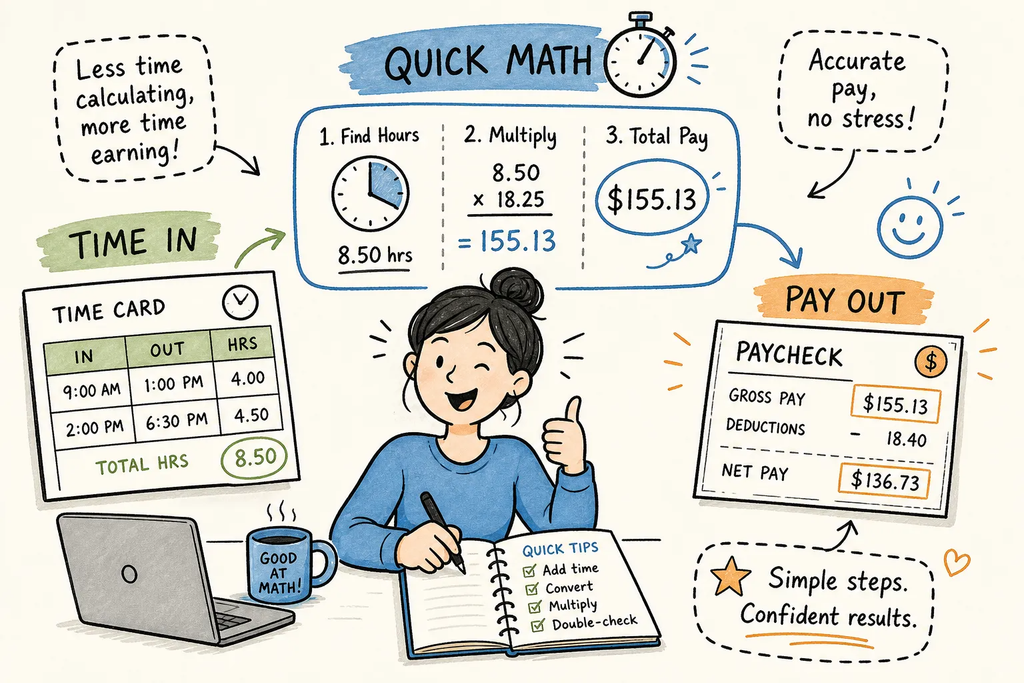
Four formulas let you solve math problems on timecards and paychecks: Decimal hours = whole hours + (minutes ÷ 60). Overtime gross = regular pay for the first 40 hours plus overtime hours × rate × 1.5. Prorated PTO = (full-period accrual ÷ total working days) × days worked. FTE = required hours ÷ standard hours per position. That’s the core of it.
Many paycheck errors stem from arithmetic and data-entry mistakes rather than intentional fraud. Someone wrote 7 hours 30 minutes as 7.30 instead of 7.50, or counted all 47 hours at straight time because the overtime split looked complicated. These are solvable problems once you know which formula applies. At Intious, we built our calculators specifically for situations like these. Every tool displays its formula and a worked example alongside the result, so you can follow the math yourself instead of just accepting a number.
Key takeaways
- Minutes aren’t decimals:7 hours 30 minutes equals 7.50 in payroll math, not 7.30. Divide minutes by 60 to convert correctly.
- Overtime splits at 40:Hours above 40 in a workweek pay at 1.5× the regular rate. Applying straight time to all hours is the most common gross pay error.
- PTO proration uses a ratio:Divide the full-period accrual by total working days in the period, then multiply by days actually worked.
- FTE has two layers:Productive FTEcovers the workload; scheduled FTE adds overhead and absence to find the headcount you actually need on the roster.
- Formula visibility is the point:A calculator that shows its work lets you catch errors. One that hides its logic only trains you to trust the output.
- Intious is free and account-free:Every calculator is available without sign-up and shows the formula used, so you can verify the logic against your own situation.
How to solve math: convert clock-in and clock-out times to decimal hours
Payroll software works in decimal hours, not hours and minutes, a well-documented convention in timekeeping systems. That means 8 hours 45 minutes is 8.75 in your payroll system, not 8.45. The conversion formula is simple: divide the minutes component by 60, then add the result to the whole hours. The mistake most people make is skipping the division step and treating the minutes directly as hundredths of an hour.
The decimal conversion formula, written out
Total decimal hours = (End time in decimal) − (Start time in decimal) − Break duration in decimal. To convert any time to decimal, take the whole hours and add minutes ÷ 60. For 7:52 AM: 7 + (52 ÷ 60) = 7.867. For 4:23 PM expressed in 24-hour format as 16:23: 16 + (23 ÷ 60) = 16.383. Subtract start from end, then deduct the break.
A worked example: one shift with a lunch break
Clock-in at 7:52 AM, clock-out at 4:23 PM, 30-minute unpaid lunch. Start decimal: 7.867. End decimal: 16.383. Difference: 8.516 hours. Minus 0.5 hours for lunch: 8.016 hours worked. If someone recorded that shift as “8 hours 31 minutes” and entered 8.31 instead of 8.02, the error is about 0.29 hours per shift. Over a two-week period of 10 shifts, that’s nearly 3 hours of miscalculated time on the timecard.
Checking your timecard with Intious
The Intious Work Hours Calculator runs this exact formula: enter your clock-in time, clock-out time, and break duration, and the tool returns your decimal hours along with the formula it used. You can verify the logic matches what you calculated by hand, and if the numbers disagree, you know exactly where to look.
How to solve math: calculating overtime on a timecard
Most hourly workers know overtime exists, but fewer can quickly run the math themselves. Under the Fair Labor Standards Act (FLSA), hours over 40 in a single workweek are overtime, paid at 1.5 times the regular rate. The calculation splits into two parts: regular pay for the first 40 hours, and a premium rate for anything above. Some states add daily overtime thresholds on top of this federal baseline, California is a notable example, but the 40-hour weekly rule is where most workers need to start.
The overtime split: regular vs. premium hours
Write the formula in two expressions. Regular Pay = min(hours worked, 40) × rate. Overtime Pay = max(hours worked − 40, 0) × rate × 1.5. Gross Pay = Regular Pay + Overtime Pay. The common mistake is multiplying total hours by 1.5 across the board. That overpays overtime and misclassifies regular hours, and it’s not how the formula actually works. Once you see the split written out, it becomes clear why applying a single rate to all hours produces the wrong number every time.
Worked example
Regular hours: 40. Overtime hours: 7.
Verifying the split with the Intious Work Hours Calculator
The Intious Work Hours Calculator separates regular and overtime hours automatically and shows the threshold logic behind the split. Use it as a cross-check before the pay period closes. If the calculator’s overtime hours don’t match what your employer reported, you have a specific, verifiable number to bring to payroll rather than a vague sense that something is wrong.
How do you prorate PTO when someone joins mid-pay period?
PTO proration is the payroll math problem that trips up even experienced HR coordinators. The concept is simple: a new hire earns a fraction of the standard accrual based on how much of the period they actually worked. But the inputs vary by company, what counts as a working day, whether the start date itself counts, and whether the policy uses calendar days or business days. Getting those inputs wrong produces a correct formula applied to bad data.
The proration formula and its inputs
Prorated Accrual = (Full Period Accrual ÷ Total Working Days in Period) × Days Worked. What matters most here isn’t which convention your company uses. It’s that the same convention is applied consistently to every employee. A policy that uses business days for one new hire and calendar days for another creates both a math error and a fairness problem.
Worked example: a new hire starting mid-period
Standard biweekly accrual: 3.08 hours. The pay period has 10 business days. The employee starts on day 6, so they work 5 days. Prorated accrual: (3.08 ÷ 10) × 5 = 1.54 hours. Each step here is a potential error point: wrong divisor, wrong days-worked count, or rounding the accrual rate before multiplying. Writing the steps out explicitly and checking each one takes less than two minutes and eliminates most proration disputes before they start.
Projecting a future PTO balance with Intious
The Intious PTO Accrual Calculator runs this same formula and then projects the running balance forward through the year, including accrual caps. The formula display on every screen lets you confirm the proration logic matches your company’s written policy before you tell a new hire what their balance will be at any point in the year.
How do you convert workload hours into FTE headcount for staffing?
FTE stands for full-time equivalent, and the formula is division: total required hours divided by the standard hours for a full-time position. The result tells you how many full-time-equivalent positions you need to cover the workload, whether you’re filling that capacity with full-timers, part-timers, or a mix. Where most staffing calculations fall short is stopping at that first number without accounting for the overhead that erodes productive capacity.
What the FTE formula actually calculates
Productive FTE = Total Required Hours ÷ Standard Hours per FTE. But productive FTE only captures the capacity needed to perform the actual work. Scheduled FTE adds a second layer: Scheduled FTE = Productive FTE ÷ (1 − shrinkage rate), where shrinkage covers breaks, training, meetings, leave, and absence. A team needing 200 productive hours per week at 40 hours per FTE needs 5.0 productive FTE. With 10% shrinkage, scheduled FTE rises to 5.56. That difference is one real person missing from the roster.
Worked staffing example: a customer service team
Required coverage: 220 hours per week. Standard full-time hours: 40. Overhead for training and breaks: 15%. Productive FTE = 220 ÷ 40 = 5.5. Scheduled FTE = 5.5 ÷ (1 − 0.15) = 5.5 ÷ 0.85 = 6.47, which rounds to 7 positions. The gap between 5.5 and 7 is exactly where understaffed teams live. They have enough capacity on paper but not enough scheduled headcount to absorb real-world overhead, and the shortfall shows up in missed coverage rather than in the spreadsheet.
Running the numbers through the Intious FTE and Headcount Calculator
The Intious FTE and Headcount Calculator handles both productive and scheduled FTE in one screen and shows the formula for each output. Enter your required hours, standard hours per FTE, and overhead percentage, and you get both figures with the math visible.
Why seeing the formula matters as much as getting the answer
Many payroll errors arise from simple data-entry or formula application mistakes. Showing the formula helps users spot those mistakes before they turn into disputes. A calculator that hides its logic trains you to trust the number. A calculator that shows its formula trains you to notice when the number looks wrong, a completely different skill with real financial consequences.
The confidence gap in payroll math
Paycheck disputes almost always come down to one of two things: a data-entry error or a formula error. When you can see the formula used to calculate your hours or accruals, you can identify exactly where the number went wrong. That gives you a specific, verifiable question to bring to payroll: “The overtime split shows 3 overtime hours, but I worked 47 hours this week, so the split should show 7.” That’s a very different conversation than “my check looks off,” and it gets resolved much faster.
How formula transparency actually builds skills
When you run a calculation in a tool that shows its work, you start to internalize the formula. After a few rounds with the overtime split or the decimal conversion, you can estimate the answer before you even open the calculator. Instead, you’re using it to confirm what you already worked out, which is exactly the point. This is why every Intious calculator displays its formula and a worked example alongside the result, not just the final number.
The fastest way to solve payroll math without making the same mistake twice
These four formulas address many of the most common timecard and paycheck calculations. None of them require dedicated software or a finance background. They follow a consistent pattern, and once you’ve run each one a few times, the structure becomes second nature.
| Problem type | Formula | Most common error |
| Decimal time conversion | Whole hours + (minutes ÷ 60) | Treating minutes directly as decimals (7:30 = 7.30 instead of 7.50) |
| Overtime gross pay | min(hours, 40) × rate + max(hours − 40, 0) × rate × 1.5 | Multiplying all hours by 1.5 or applying straight time past 40 hours |
| PTO proration | (Full period accrual ÷ total working days) × days worked | Wrong divisor or inconsistent definition of “working day” |
| FTE and headcount | Productive FTE = required hours ÷ standard hours; Scheduled FTE = Productive FTE ÷ (1 − shrinkage) | Stopping at productive FTE without accounting for overhead |
The goal isn’t to memorize every formula. It’s to know where to find a transparent tool that shows you the formula so you can verify the logic matches your situation. Intious is free, requires no account, and displays the formula and a worked example on every calculator. The Work Hours Calculator, PTO Accrual Calculator, and FTE and Headcount Calculator all start from the same formulas covered in this article.
The next time you need to solve math for a paycheck or staffing number, start with the formula rather than a call to HR. The error is almost always arithmetic, and arithmetic is fixable the moment you can see exactly where the math went wrong.
Frequently asked questions
What is a math problem solver for payroll?
A math problem solver for payroll is any tool that applies a specific formula, such as the overtime split or decimal time conversion, to your inputs and returns a calculated result. The most useful versions show the step-by-step math solution alongside the answer, so you can follow the logic rather than just accept the output.
Is there a free math solver for timecard calculations?
Yes. The Intious Work Hours Calculator is free and requires no account. It functions as a dedicated math solver for timecard math: enter your clock-in, clock-out, and break duration, and it returns decimal hours with the formula used clearly displayed.
Can a calculator replace learning the formula?
It shouldn’t. Using a calculator that shows its work, essentially acting as a math tutor, helps you internalize the formula over time. After a few uses, you’ll be able to estimate the answer before you open the tool and use it only to confirm your result.
Do I need an AI math solver for payroll problems?
Not for the four formulas covered here. Decimal conversion, overtime splits, PTO proration, and FTE calculations follow fixed rules. A straightforward calculator that displays its formula gives you more verifiable, auditable output than a general-purpose AI math solver for these specific use cases.